
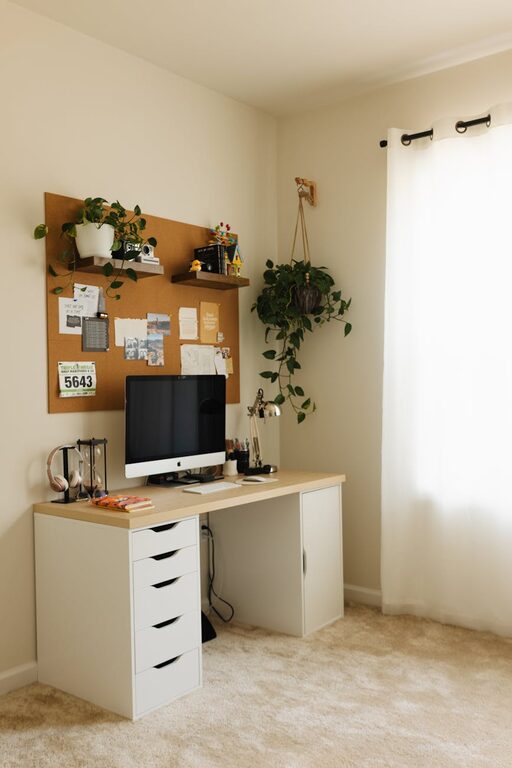
Creating a relaxing home office environment is essential for maintaining focus and well-being during work hours. Whether you’re working remotely full-time or occasionally, your workspace should inspire calm and productivity. This guide offers practical tips to help you design a home office that feels comfortable, organized, and stress-free.
Why a Relaxing Home Office Matters
Your work environment affects your mood, concentration, and overall efficiency. A cluttered or uncomfortable office can increase stress and reduce motivation. By investing time in creating a peaceful setting, you support better mental health and work performance.
Choose the Right Location
Pick a Quiet Spot
Select a location in your home that is naturally quiet, away from high-traffic areas. This can help minimize distractions and allow you to focus on tasks.
Consider Natural Light
Set up your workspace near a window if possible. Natural light improves mood and reduces eye strain compared to artificial lighting.
Invest in Ergonomic Furniture
Comfortable Chair
A good office chair with proper support is key to preventing back pain and promoting good posture.
Functional Desk
Choose a desk that fits your space and has enough room for your computer, organizing supplies, and any other necessities.
Adjustable Setup
Consider adjustable desks or monitor stands to customize your workspace height for optimal comfort.
Declutter and Organize
Simplify Your Desk
Limit how many items you keep on your desk to essentials only. This prevents distraction and keeps the space tidy.
Storage Solutions
Use shelves, drawers, or organizers to store paperwork and supplies neatly out of sight.
Cable Management
Keep cords organized with clips or sleeves to avoid tangled wires and maintain a cleaner look.
Use Soothing Colors and Decor
Calm Color Palette
Soft, neutral colors like light blues, greens, or grays create a calming atmosphere conducive to focus.
Personal Touches
Add a few personal items such as family photos, plants, or artwork that inspire positivity without overcrowding your space.
Incorporate Nature
Indoor Plants
Plants improve air quality and introduce a calming, natural element to your office.
Nature Sounds
Consider playing gentle nature sounds or white noise to mask distracting noises and promote relaxation.
Control Lighting and Screen Glare
Adjustable Lighting
Use lamps or overhead lights with adjustable brightness to suit different times of the day.
Position Screens Thoughtfully
Arrange your computer screens to avoid glare from windows or lights to reduce eye strain.
Establish a Routine and Boundaries
Set Work Hours
Define clear working hours to separate your professional time from personal life.
Take Breaks
Incorporate short breaks to stretch or step away from your desk, which helps maintain mental clarity.
Add Comfort Elements
Soft Textiles
A cozy rug or cushion can add warmth and comfort to your workspace.
Temperature Control
Ensure your home office is well-ventilated and at a comfortable temperature.
Minimize Noise Distractions
Noise-Cancelling Headphones
These can help block out background noise, especially if your workspace isn’t completely isolated.
Soundproofing
If possible, use rugs, curtains, or acoustic panels to dampen sounds and create a quieter environment.
Conclusion
Creating a relaxing home office environment takes thoughtful planning but offers rewarding benefits. Prioritizing comfort, organization, natural elements, and clear boundaries helps you work more effectively while maintaining a peaceful mindset. Start with a few simple changes and adjust your space over time to find your ideal setup. A serene, organized office isn’t just a luxury—it’s a foundation for success in any remote work journey.